
Google Ads
How to Give Magnate Access to Your Google Ads Account
Three steps. Takes about two minutes. Once you send the invite, we’ll accept it and get to work.
Before You Start
Don’t Have a Google Ads Account Yet?
No problem. Create one here and skip the campaign creation when it asks. We’ll set everything up for you.
ads.google.com/home1
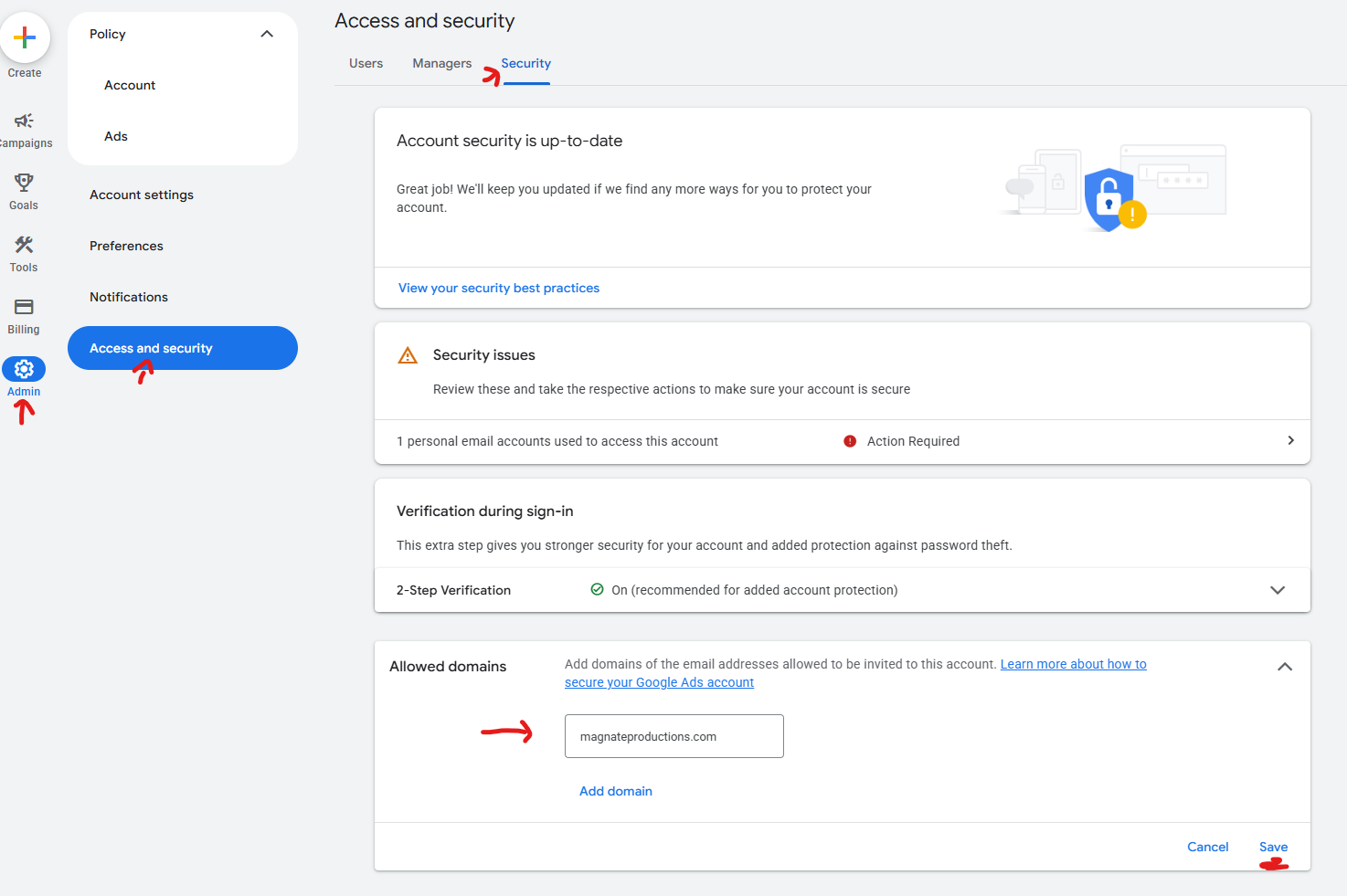
Open Access & Security
Log into your Google Ads account and follow this path:
Admin
>
Access and Security
>
Security
2
Add Our Domain
Scroll to the bottom of the Security tab. Open Allowed Domains and paste in our domain:
magnateproductions.com
copy and paste this
Hit Save.
3
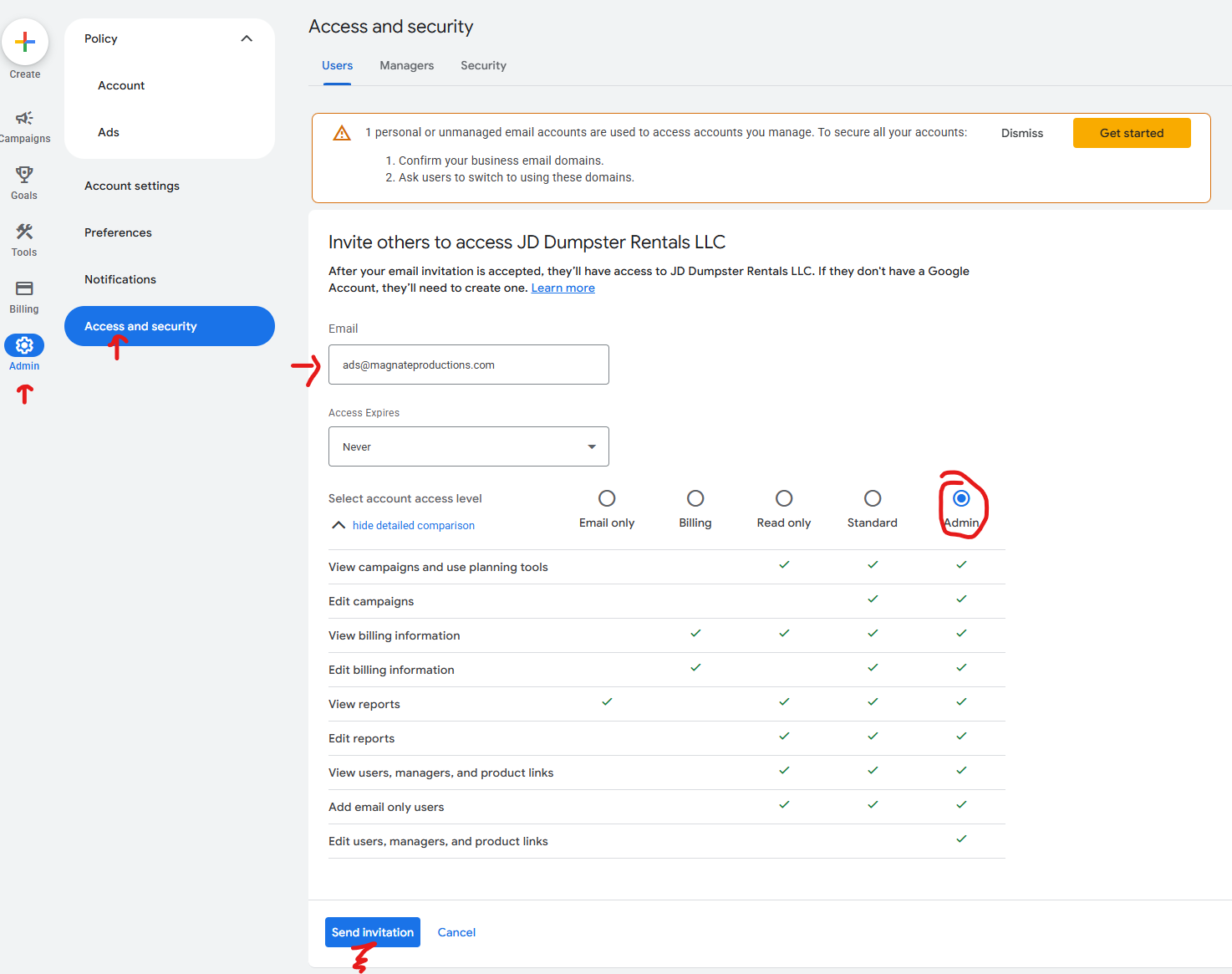
Send Us the Invite
Go back to the Users tab. Click the blue + button and paste in our email:
[email protected]
copy and paste this
Set the access level to Admin, then hit Send Invitation.
That’s It. You’re Done.
We’ll accept the invitation on our end and start building your campaigns. We’ll reach out when everything is ready to launch.
Stuck or have questions? Reach out to us here.